Docs Start here
A tour of Afterbell
The menus, the command bar, the watchlist, themes, languages and the app on your phone.
Every page of Afterbell is reachable three ways: the menus at the top, the command bar from any page, and the tab bar on a phone.
The menus
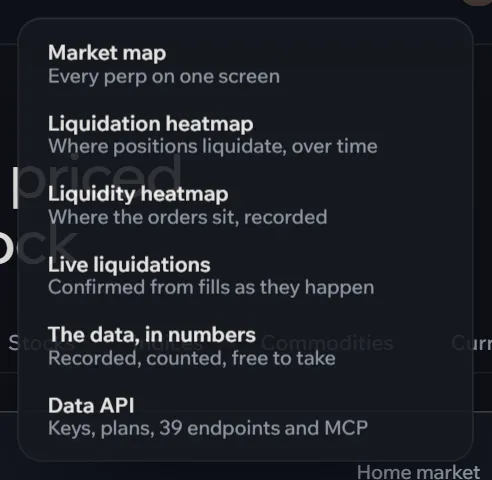
The top bar holds seven groups. Trade has the terminal and every market. Night has the morning recap, the earnings and macro calendar and a desk for each home market. Data has the heatmaps, live liquidations, the numbers and the API. Traders has the largest accounts, their scores, whale moves, your follows and vaults. Then Portfolio, Points, and More for fees, these docs and transparency.
The command bar
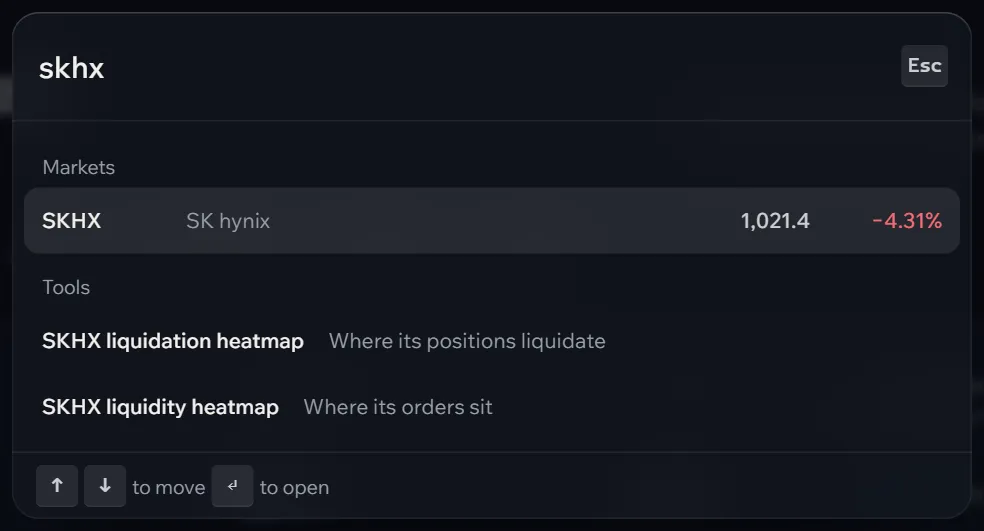
Press Ctrl K (⌘ K on a Mac) on any page, or choose Search in the top bar. Type part of a ticker, a company, a page or a feature: one list holds every market, every page, each market’s heatmaps and these docs. Move with the arrow keys and press Enter.
The watchlist
Star a market on the markets page or in the terminal’s header. Starred markets get their own tab on the markets page, a strip of live prices under the terminal’s tabs and on the home page, a tag when the company reports that week, and, with alerts on, a push before their reports. The terminal’s links open on the market you last looked at, else on your largest open position, else on the first market of your watchlist.

Themes and languages
The foot of every page switches the theme, Dusk, Midnight or Paper, and the language: English, 한국어, 日本語, 中文, Español, Português, Türkçe, Русский and Tiếng Việt. Both are kept in this browser; a browser set to one of the languages starts in it. Desk pages offer their market’s own language with one tap.
On a phone
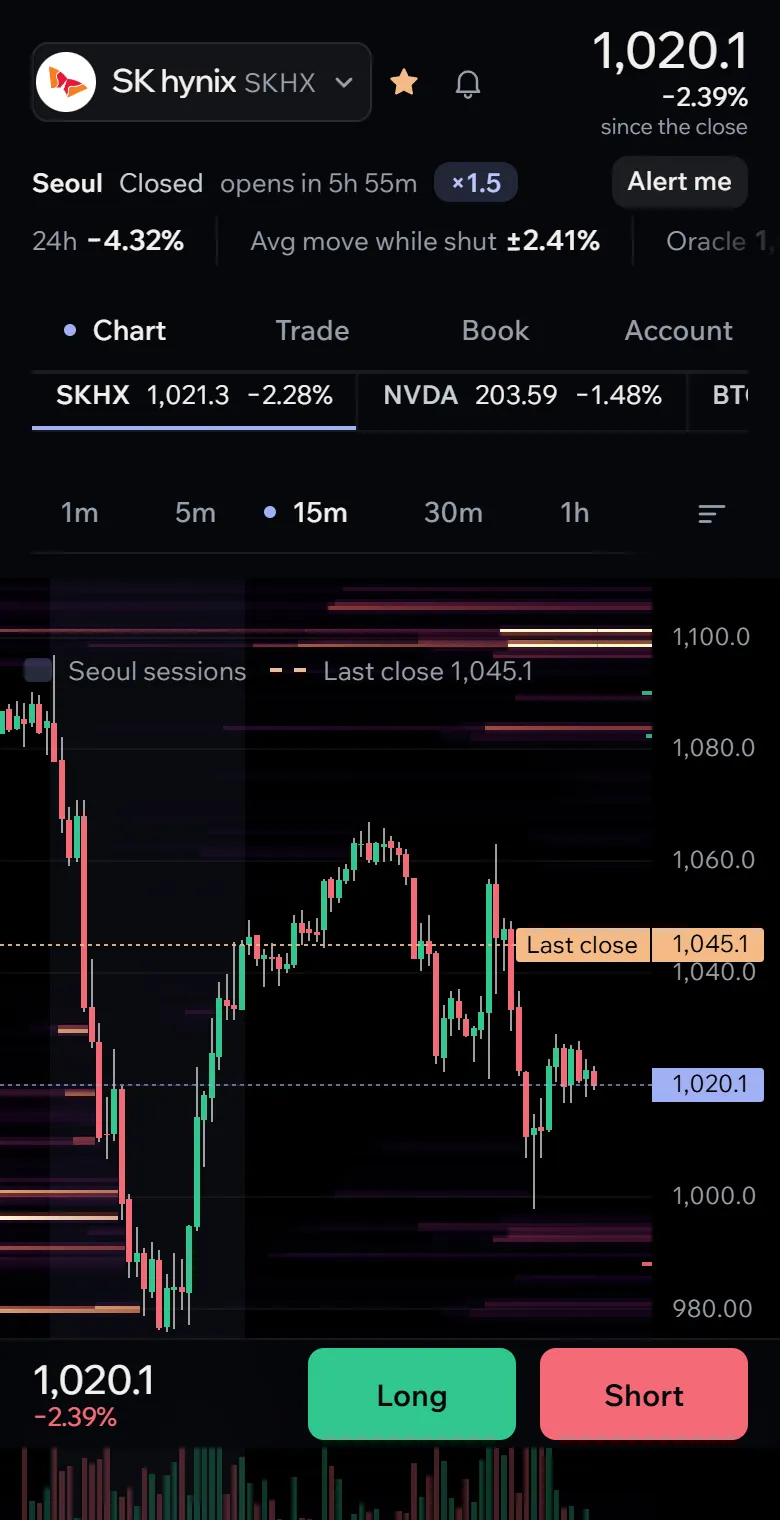
On a phone the menus fold into a tab bar at the bottom: Markets, Trade, Portfolio, Traders and More. In the terminal, the chart, the ticket, the book and your account are one view each, switched from the top of the screen, and a bar at the bottom keeps the price and the Long and Short buttons under your thumb. Added to your home screen, Afterbell opens on its own, without the browser’s bars, like an app.
Lost? Keyboard shortcuts lists every key, and ? in the terminal shows them on screen.