Docs Trade
Exit plans and closing
A take-profit and a stop before you enter, a ladder of targets, a trailing stop after, and closing in two clicks.
An exit can be planned before you enter, changed after, made to follow the price, and taken in halves. Each position under the chart shows its plan.
TP/SL on the way in
Switch on TP/SL in the ticket (Market and Limit orders). Type a take-profit and a stop-loss as prices, or pick steps from the entry: 2%, 5%, 10% for the take-profit and 1%, 3%, 5% for the stop. Steps are returns on your margin at the position’s leverage, the way traders read them: +10% at 5x is a price 2% away. Each leg shows what it would make or lose, and a bar sets the risk beside the reward on the price axis.
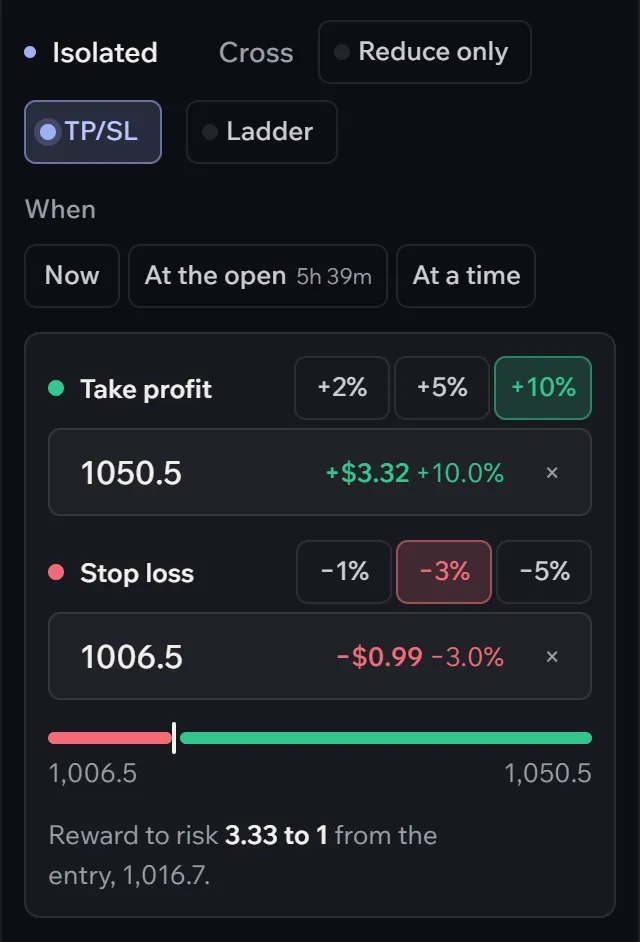
Both legs arm when the entry fills, and either one closes the whole position at market.
A ladder of targets
With TP/SL on, Ladder splits the order into three legs, each a third, with take-profits at +2%, +5% and +10% on margin and one stop for all. You bank some early and let the rest run.
After you are in
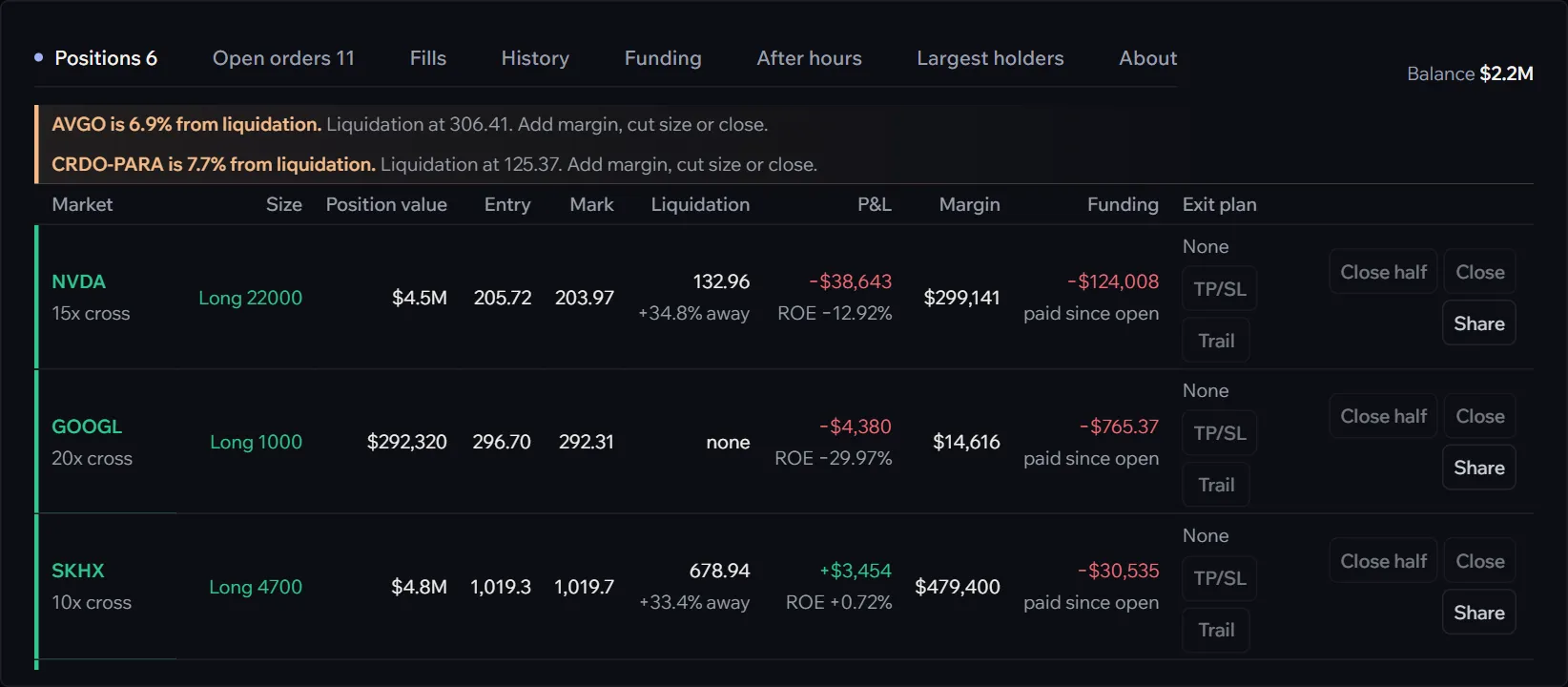
- TP/SL (or Edit, once a plan exists) on a position opens the same exit plan, for the whole position.
- Trail starts a trailing stop: a reduce-only stop order on the exchange at the distance you set, 0.1% to 50%, moved up behind a long as the price makes new highs (down behind a short). The stop sits on the exchange, so it holds if you close the tab; it moves while an Afterbell tab is open, or around the clock with running while away.
- Close half and Close close at market; each asks for a second click, so a stray click closes nothing.
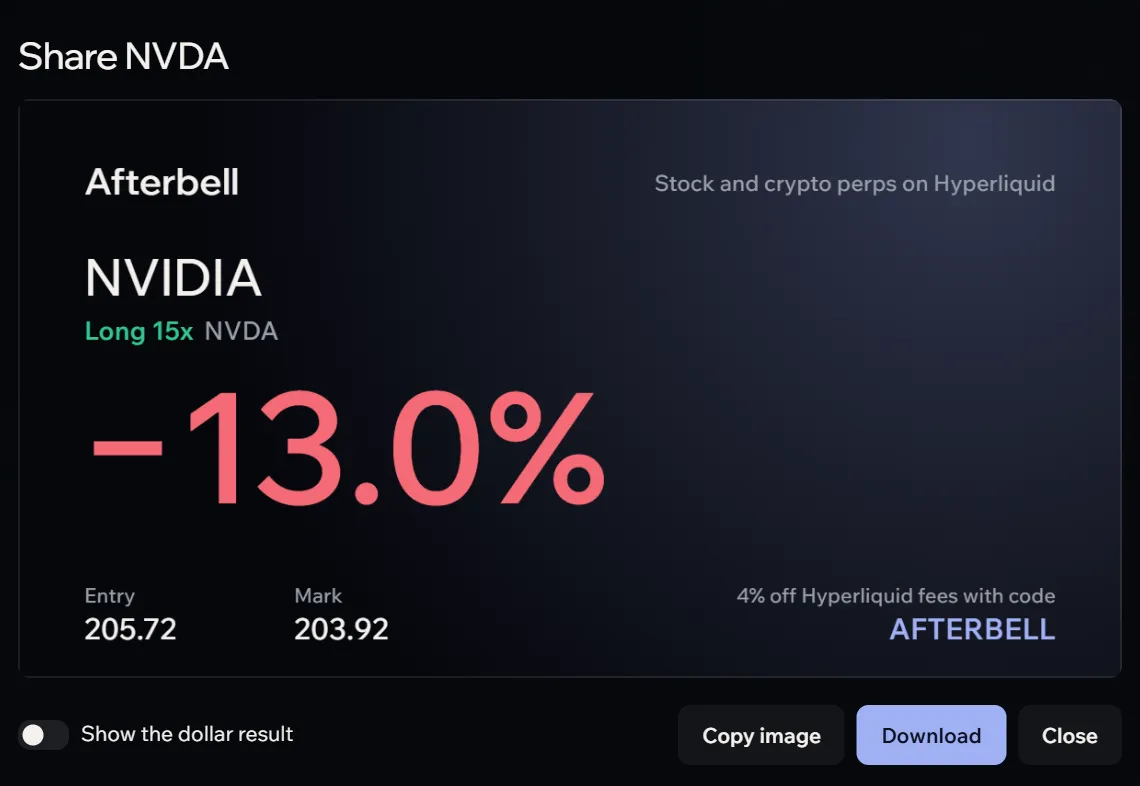
- Share makes a picture of the trade to post: return on margin, side and leverage, entry and mark, and your invite code. Dollar amounts stay off unless you add them.
Resting orders
Under Open orders, Edit moves a resting order’s price or size in place, and the cross cancels it; Cancel all clears every open order. Take-profits and stops show as chips on their position too, each with its own cross.