Docs Data
Every market
Every stock and crypto perp on one board, by home market, with what is happening to each.
Every stock and crypto perp Afterbell trades, on one board: Hyperliquid’s xyz exchange, its main exchange, and the smaller builder exchanges that list stocks.
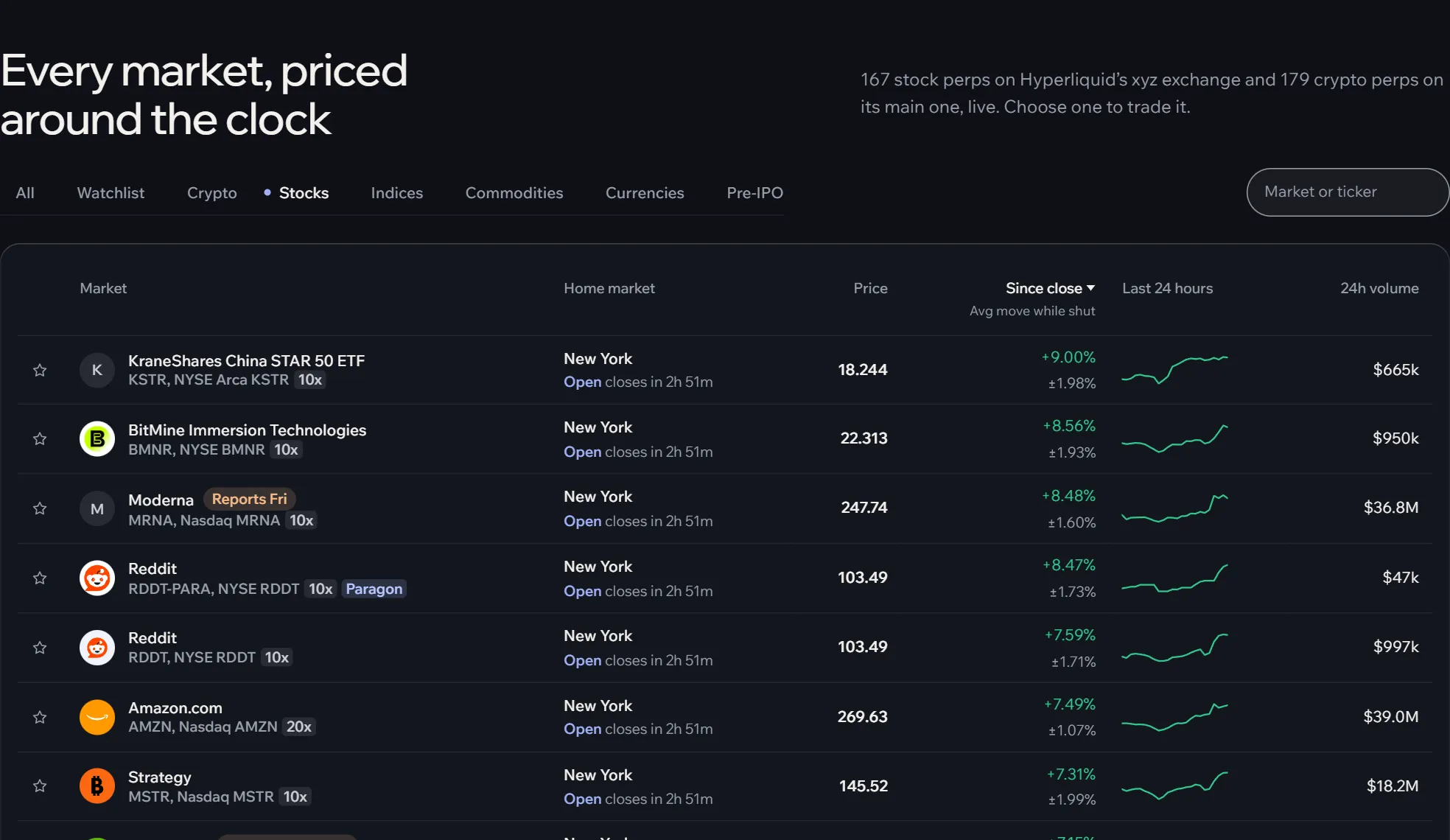
Finding a market
- Tabs: All, your Watchlist, Crypto, Stocks, Indices, Commodities, Currencies and Pre-IPO.
- Search covers names, tickers and exchange codes:
hynix,SKHXand000660all find SK hynix. - A home market: the session timeline on the home page filters the board to one city.
- Sort by any column heading; again to reverse. The board opens on 24-hour volume, and the Stocks tab on the move since the close. The first 30 show; Show all lists every market.
Reading a row
The first line is the name and what is happening to it; the second, the ticker and listing and how the market trades.
- Reports today, tomorrow or a weekday (filled orange): earnings within six days.
- Reported (outlined): earnings out today or yesterday, often the reason for a large move.
- 10x: the most leverage Hyperliquid allows on the market.
- Paragon, EntropyIO: the market trades on that builder exchange rather than xyz, with its own margin.
Then the home market with its session (open, shut, and when that changes), the price, the move since the home market’s last close (over 24 hours for crypto) with under it the usual move while shut, the last 24 hours as a line, 24-hour volume, open interest, and funding as a yearly rate. On wide screens, a market on a builder exchange that has filled half its open-interest cap says so under its open interest, for example “76% of cap”: near a cap the exchange limits new positions.
Click anywhere on a row to open its terminal; the star adds it to your watchlist.