Docs Trade
The terminal
One screen for a market: the chart, the book, the ticket and your account, arranged the way you trade.
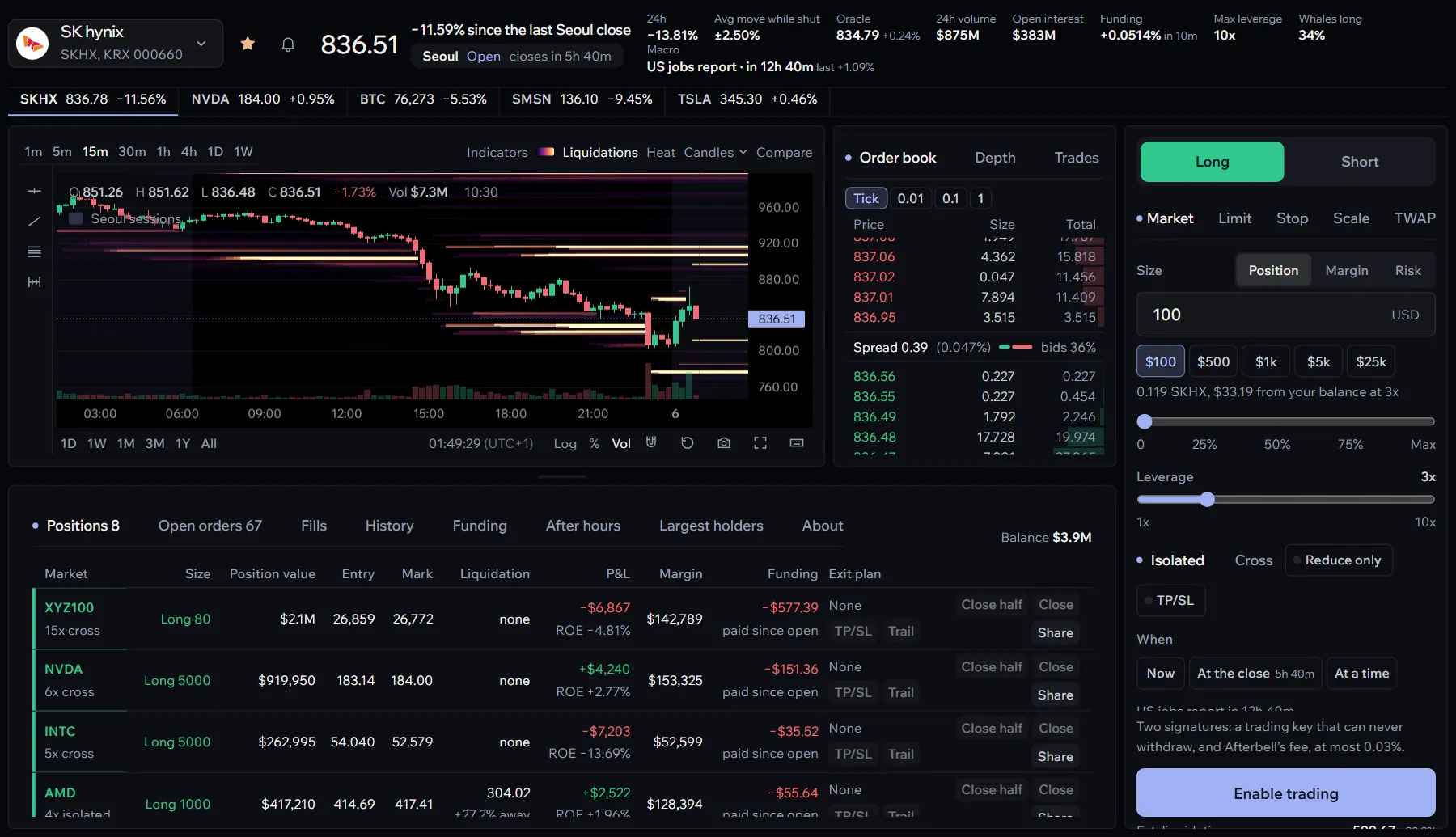
The terminal is one market on one screen. The chart sits top left, the order book and trades beside it, the ticket on the right, and under the chart a panel with your account and everything else about the market.
The header
Along the top: the market and its switcher, a star for your watchlist, the price, and the figures that matter before a trade. The oracle price, the 24-hour move, volume and open interest, the funding rate, the maximum leverage, how far the stock usually moves while its home market is shut, its next and last earnings report, the next macro release that moves it, and how the largest accounts lean.
For a stock perp, a chip shows its home market’s session, open or shut, with the time to the next change; Alert me beside it sets a browser notification ten minutes before the next open. While the home market is shut, a second chip shows the points boost a trade earns there.
Switching markets
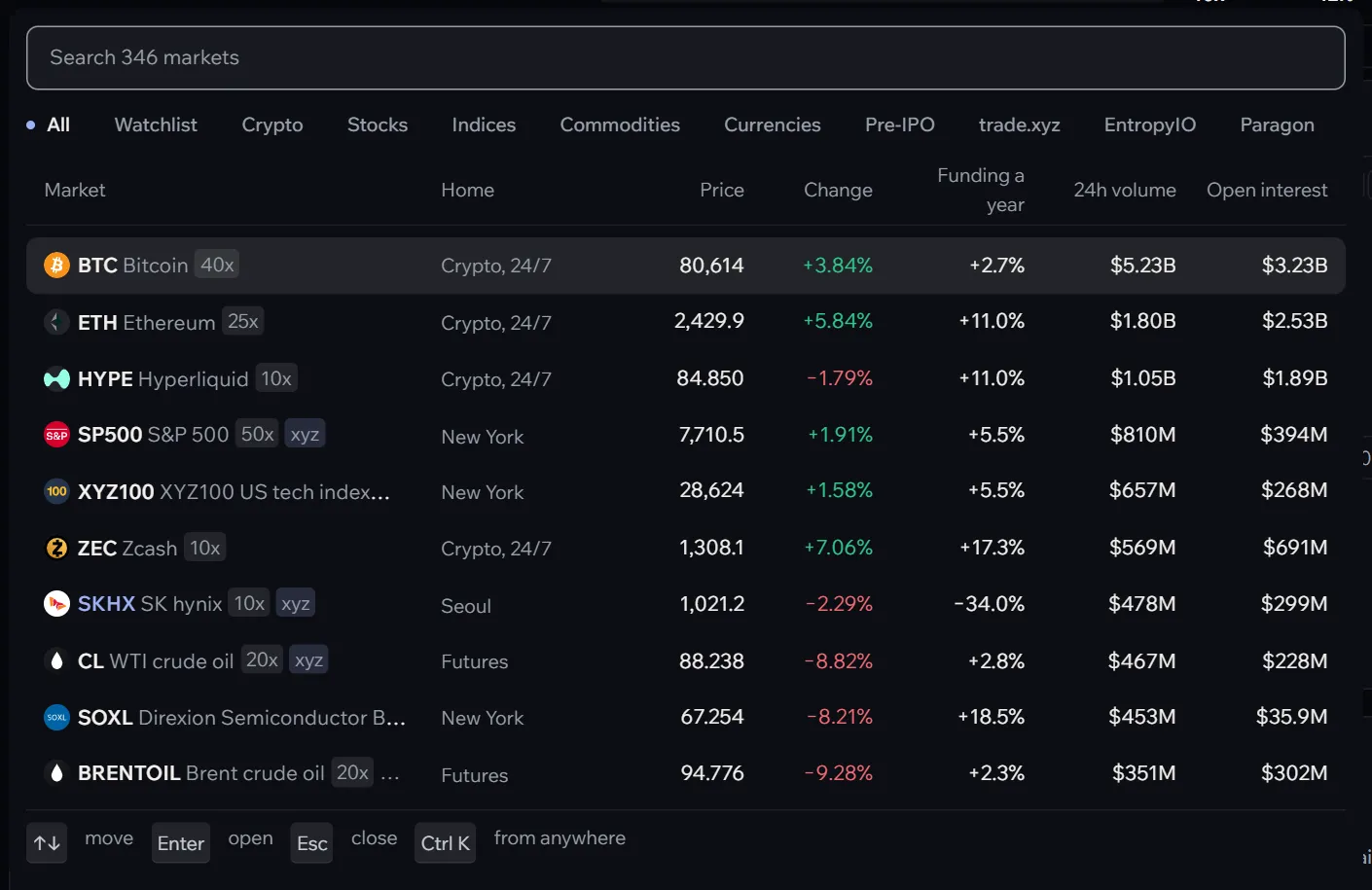
Choose the market’s name or press /. The switcher lists every market by group with its leverage, exchange, price, move, funding, volume and open interest; type to filter, move with the arrow keys, press Enter.
Arranging the screen
- Resize the account panel by dragging the line between it and the chart; double-click the line to reset it.
- Full screen: F gives the chart the whole window; F again brings the rest back.
- Reset the view: R fits the chart to the latest candles.
- A picture of the chart: Copy the chart as a picture, among the chart tools, puts it on your clipboard, ready to paste into a post or a chat.
On a phone
The terminal shows one view at a time, chosen at the top: Chart, Trade, Book and Account. A bar at the bottom keeps the price and the Long and Short buttons in reach, and they open the ticket on that side.
Everything else on the screen has its own page: the chart, the ticket, the book and market detail and the account panel.