Docs Trade
Positions, orders and fills
The panel under the chart: every position with its exit plan, resting orders, fills, closed trades and funding.
The panel under the chart holds your account on every exchange at once, stock and crypto perps together, and your balance at its right.
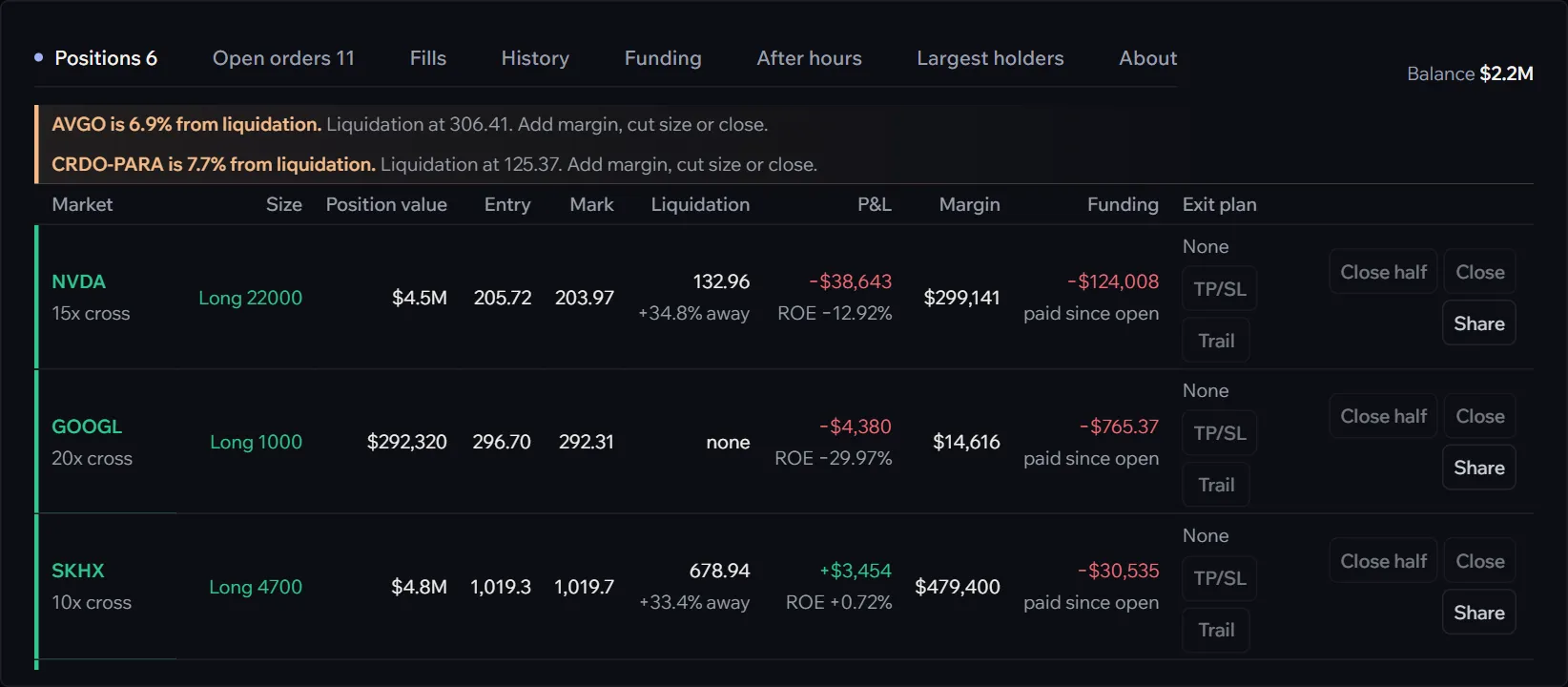
Positions
Each position shows its size, value, entry and mark, the liquidation price with how far away it is, the profit with the return on margin, the margin, the funding paid or received since it opened, and its exit plan. When a position comes within 10% of its liquidation price, that figure turns red and a warning above the table names it. The row’s buttons are on Exit plans and closing.
Open orders
Resting orders with their price, size and kind; Edit moves one in place, Cancel all clears every open order. Running TWAPs, chases and icebergs, and timed orders waiting for their moment, list here too.
Fills
Every fill with its price, size, side and the fee in two parts, Hyperliquid’s and Afterbell’s. The full list of the last 90 days, as a CSV, is on your portfolio.
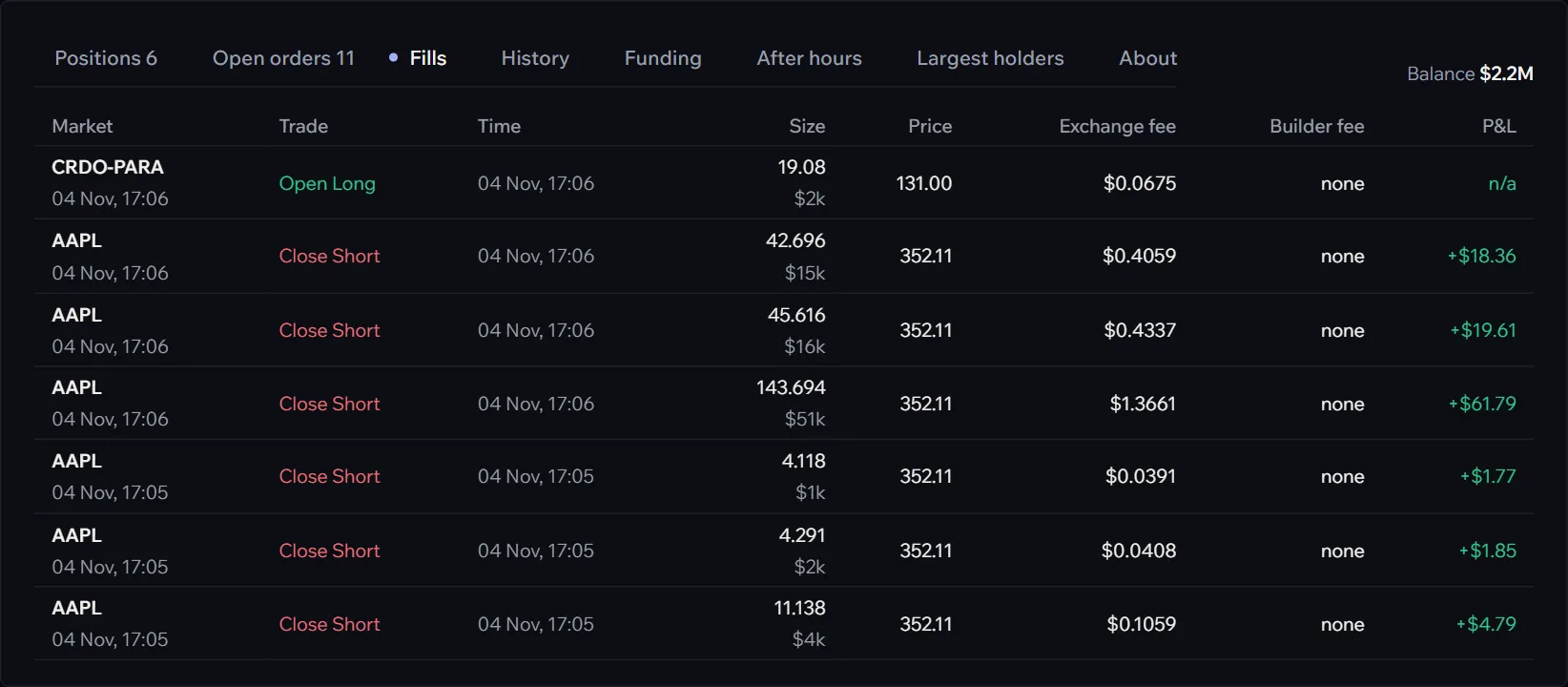
History
Closed positions, each run from flat back to flat, newest first: the average entry and exit, the move in your favour, what it realized, what it cost, and what was left. A line on top sums them.
The other tabs
Funding, After hours, Largest holders and About are about the market, not your account: Book, funding and market detail.